
Before
Rocks live in a quarterly list, but nobody can see which company objective they support.
With MonsterOps Rocks
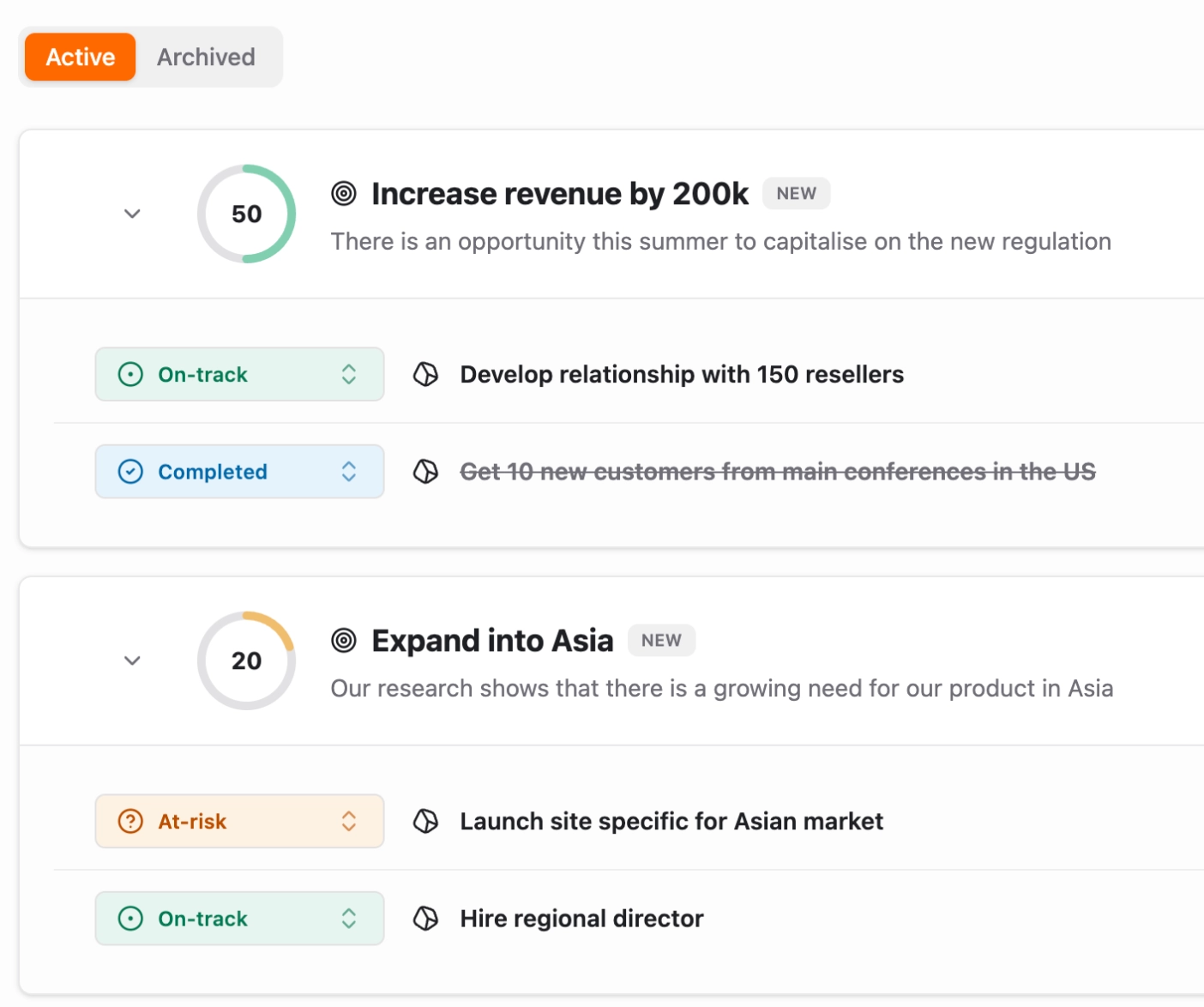
Assign each rock to a company objective so priorities cascade clearly across teams.
MonsterOps Rocks
Run rocks as quarterly commitments, connect each one to a company objective, and keep every team aligned from strategy to weekly execution.
Rocks are quarterly goals in MonsterOps. Objectives are the company outcomes they ladder up to.
Sound Familiar?
Most teams set good rocks at the start of the quarter. Then the plan gets fuzzy, status updates get vague, and leaders stop challenging whether the work still supports the objective.
Before
Rocks live in a quarterly list, but nobody can see which company objective they support.
With MonsterOps Rocks
Assign each rock to a company objective so priorities cascade clearly across teams.
Before
Status is too blunt: on track, off track, completed, or canceled.
With MonsterOps Rocks
Use richer statuses like backlog, planned, at risk, on track, off track, completed, and canceled.
Before
Undefined ideas get forced into the active quarter before they are ready.
With MonsterOps Rocks
Park incomplete rocks in backlog, or mark well-defined future work as planned.
Before
Meetings become passive when everyone says nothing changed.
With MonsterOps Rocks
Use the deck view to mark each rock on-track or off-track with a swipe to force a fresh commitment at each weekly meeting.
How Teams Use It
MonsterOps keeps the strategic objective, quarterly rock, owner, milestones, and meeting status in one operating flow.
Attach every product, sales, and operations rock to the company objective it supports.
Use backlog for rocks that are promising but not defined enough for commitment.
Set planned rocks aside when the work is clear but belongs to a future quarter.
Mark rocks at risk when they are still on track today but need leadership attention.
Review rocks in the deck view during meetings and recommit to each rock's status with a swipe.
Turn off-track or at-risk rocks into issues before the quarter quietly slips.
From Strategy to Weekly Commitments
A rock is more useful when it carries the context around it: the objective it supports, the milestones that define progress, and the meeting moments where the team recommits.
What's Included
MonsterOps gives leaders more nuance than a binary status and more alignment than a static quarterly list.
Connect rocks to company objectives so every quarterly goal has a visible reason to exist.
Track backlog, planned, at risk, on track, off track, completed, and canceled without flattening reality.
Define what progress means before a rock enters the active quarter, then review progress without guessing.
Swipe right or left in meetings to recommit each rock as on track or off track and prevent passive updates.
Bring objectives, rocks, milestones, and meeting commitments into one place so everyone can see what matters and what needs attention.