
Self-Implementation
Self-Implementing EOS®: Top 7 Software Tools Ranked
Jeremy Chatelaine · Jun 4, 2026 · 16 min read
Self-implementing EOS® is hard enough without duct-taping spreadsheets and task apps together. Here is our ranking of seven software options and how well each one keeps your vision, meetings, and scorecards on track.
Summarize with ChatGPTSummary
This ranking helps self-implementing teams compare software on five things that actually matter: setup burden, meeting support, scorecard automation, accountability, and flexibility. It shows where generic tools break down and which platforms hold the weekly rhythm together without turning you into a system administrator.
EOS® and Entrepreneurial Operating System® are registered trademarks of EOS Worldwide, LLC. Some of the tools below are independent products that teams use to run the framework.
TL;DR
Dedicated veterans like Ninety and Bloom Growth are framework-faithful but dated and expensive. Generic tools like Monday, ClickUp, and Asana can be bent into shape, but you pay for it in setup and upkeep. Spreadsheets are free and fall apart by week six. MonsterOps is the easiest and most cost-effective way to self-implement a framework like EOS®.
Why self-implementing needs the right software
If you are here, you have already bought into the vision. You read Traction, you understand why a weekly meeting cadence matters, and you want your vision document to be a living thing instead of a PDF nobody opens.
Hiring a professional implementer works, but it is expensive (around $5k/day, 5 days a year). So plenty of small and mid-sized teams prefer to self-implement. Seems easy, you got smart people, the book, and the discipline. The reality often lead to a Franken-OS that bind together spreadsheets, a task app, and a pile of docs together. Far from ideal, it create friction instead of traction.
The right software removes that friction from day one, but the wrong software becomes a second job. This guide ranks seven options on how well they hold the framework and how much setup and maintenance tax they charge you for the privilege.
What to actually look for
Setup burden. How long from signup to a working weekly meeting? A self-implementer should not have to become a system architect first.
Meeting support. Does it run your weekly leadership meeting with a real agenda, a timer, and a smooth way to identify, discuss, and solve issues? Or are you sharing your screen across five browser tabs?
Scorecard automation. Can numbers flow in on their own, or does someone re-key them every week? Manual scorecards make people hate the system and consider it a chore.
Accountability and ownership. Every rock, issue, and to-do needs one owner and a history. If ownership is invisible, accountability evaporates.
Flexibility and future-proofing. Can you run the framework your way and adapt as you grow, without being locked into one rigid interpretation forever?
Quick comparison
| Tool | Built for the framework? | Setup burden | Meeting support | Scorecard automation | Cost shape |
|---|---|---|---|---|---|
| MonsterOps | Agnostic, runs it well | Very low | Native, guided | API + Zapier | Flat, unlimited users |
| Monday.com | No, generic | High | Pieced together | Manual or heavy automation | Per seat |
| ClickUp | No, generic | Very high | Awkward | Possible, lots of setup | Per seat |
| Asana | No, generic | Medium | Weak | Manual | Per seat |
| Ninety.io | Yes, dedicated | Low | Native | Limited | Per seat |
| Bloom Growth | Yes, dedicated | Medium | Native | Limited | Per seat, annual |
| Spreadsheets | No | Low to start | None | None | Free |
Now the detail.
1. MonsterOpsWebsite
The easiest way to start without any training.
Best for: teams that want the easiest and fastest path to self-implementation with the lowest administrative burden for a fraction of the cost of official solutions.
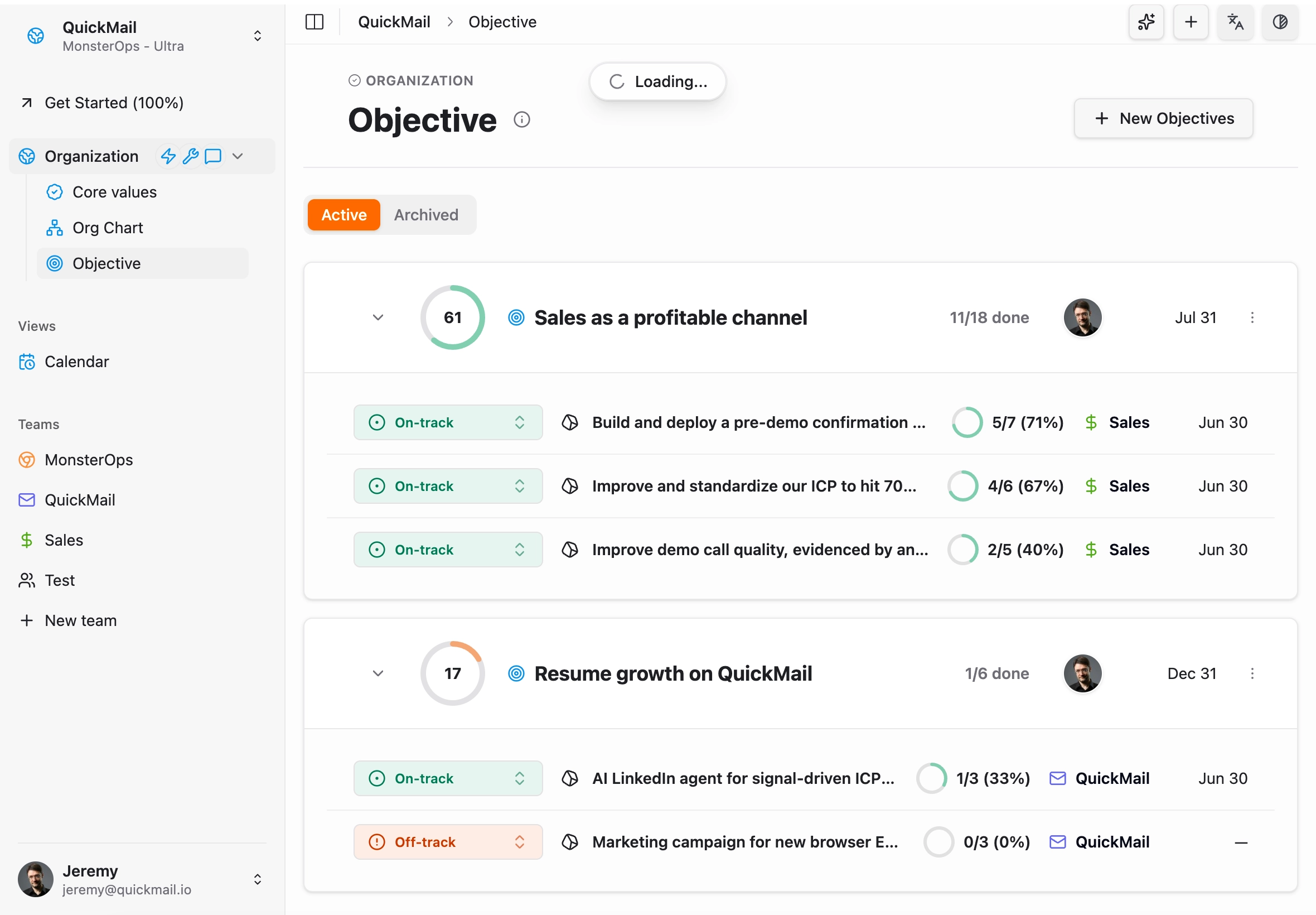
When you self-implement, you are already running an organizational change program. You should not also have to design the software it runs on. MonsterOps is a framework-agnostic business operating system that many are using to self-implement EOS®, Scaling Up, OKRs, 4DX, or your own hybrid with success.
The structure is ready the moment you sign up. You replicate everything you need to run your weekly rhythm: quarterly priorities, metrics, issues, owners, and a guided meeting flow. You keep your vision document wherever it makes sense. The point is that the system holds the discipline so your team does not have to remember it.

David
“MonsterOps has been great for our team to power our EOS operations. It's simple and clear for everyone on our team to learn and implement into their workflow without feeling like they need to learn an entirely new system.”
What sets it apart is that AI is built into the core, not sold as a premium add-on. You can ask plain-language questions about your business at any point in time and get a real answer. Which priorities are at risk this quarter. Which number has quietly trended down for six weeks. What got decided in the leadership meeting two months ago. The system reads your operating data, meeting notes and tells you, instead of making you dig.
Where it wins
- Quick to start. Working weekly meeting in minutes, not weeks. Nobody needs training to log a to-do or update a scorecard.
- AI-native, query anything. Ask about any part of your business, any time, in plain English. It surfaces risks, patterns, and history on its own.
- Fast, pleasant interface. Built on a modern stack with real-time updates. That is what makes a whole team actually adopt it.
- Simple but powerful. Radically simple on the surface, with depth underneath when you need it. It never makes running your business feel like filing a tax return.
- API built for AI agents. Open API, MCP server for AI agents and a native Zapier integration means metrics fill themselves. Your data stays yours. Imagine having your own AI agent straight into your operating system.
- Pricing that does not punish growth. One flat fee, unlimited users. Free for small teams, so you can test a few months on the leadership team before rolling out to everyone.
Where it falls short
- New to the market. It launched in 2025. Fewer case studies and a younger brand than the veterans.
- Lean permissions. Access controls are intentionally simple. Highly regulated orgs needing granular roles may find them basic.
- Focused scope. It is an operating system, not an everything-platform. No payroll or full HR suite. It stays in its lane.
Verdict: the highest success odds for self-implementers, with the least admin drag.
2. Monday.comWebsite
The flexible giant
Best for: teams already living in Monday who have time to wire up complex automations.
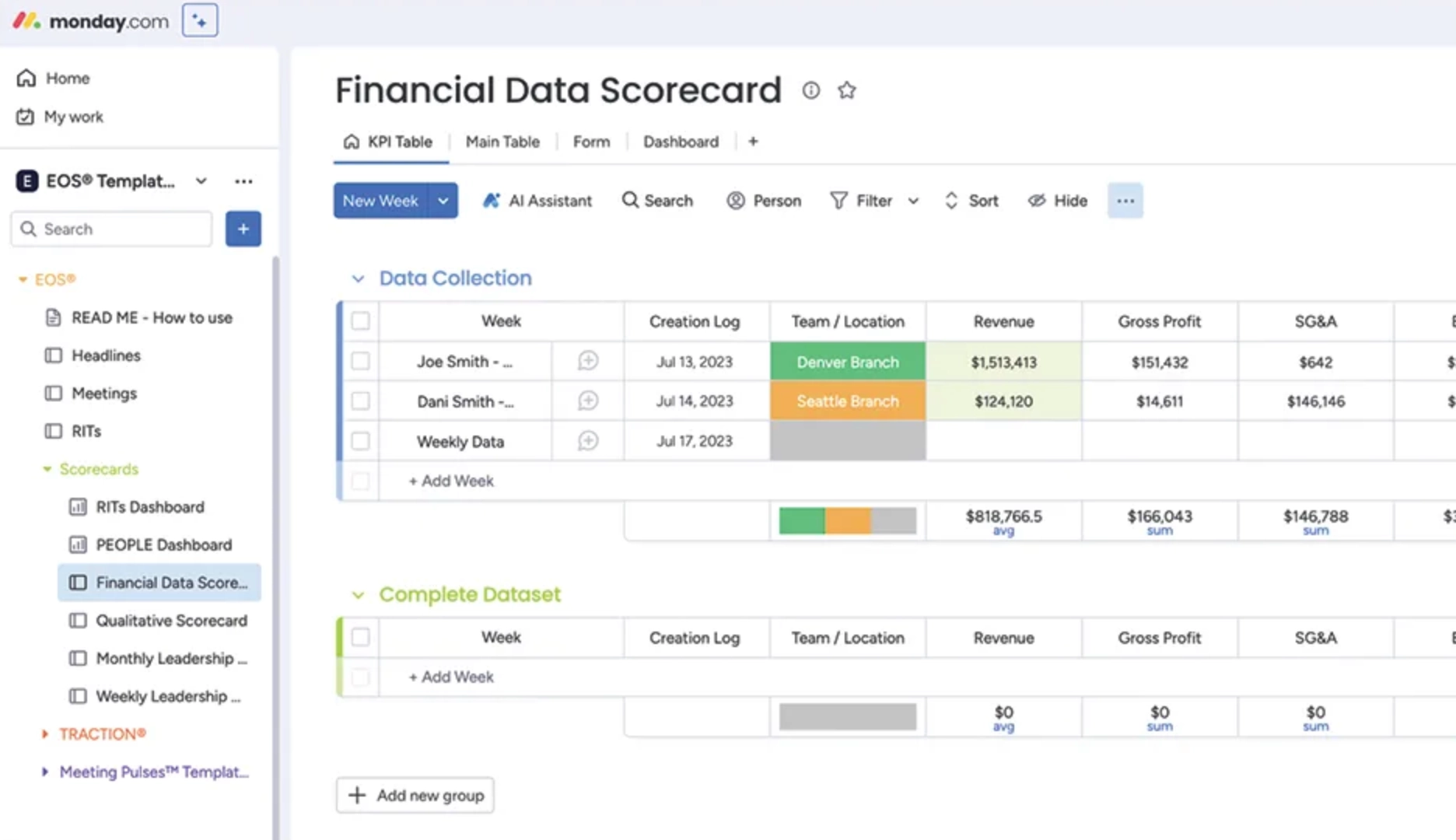
Monday's colorful boards can mimic the framework's artifacts, but the pieces sit on separate islands. Marketplace templates give you a board for priorities and a board for issues, and they stay disconnected.
A good weekly rhythm needs deep plumbing: rolling 13-week scorecard trends, failed measurables that link to the issues list, and a meeting agenda that stays in sync. Without that automation work, leaders juggle tabs and copy-paste live in the meeting.
Where it falls short
- Illusion of ease. Templates look right but lack the data connections underneath.
- Manual scorecards. Rolling metrics are error-prone and time-consuming to maintain.
- Splintered meetings. Your weekly meeting scatters across tabs and documents.
- Noise creep. Day-to-day operational tasks bleed into the strategic view.
Verdict: a powerful task tool, an exhausting framework tool.
3. ClickUpWebsite
The customization rabbit hole
Best for: highly technical teams that enjoy building complex systems from scratch.
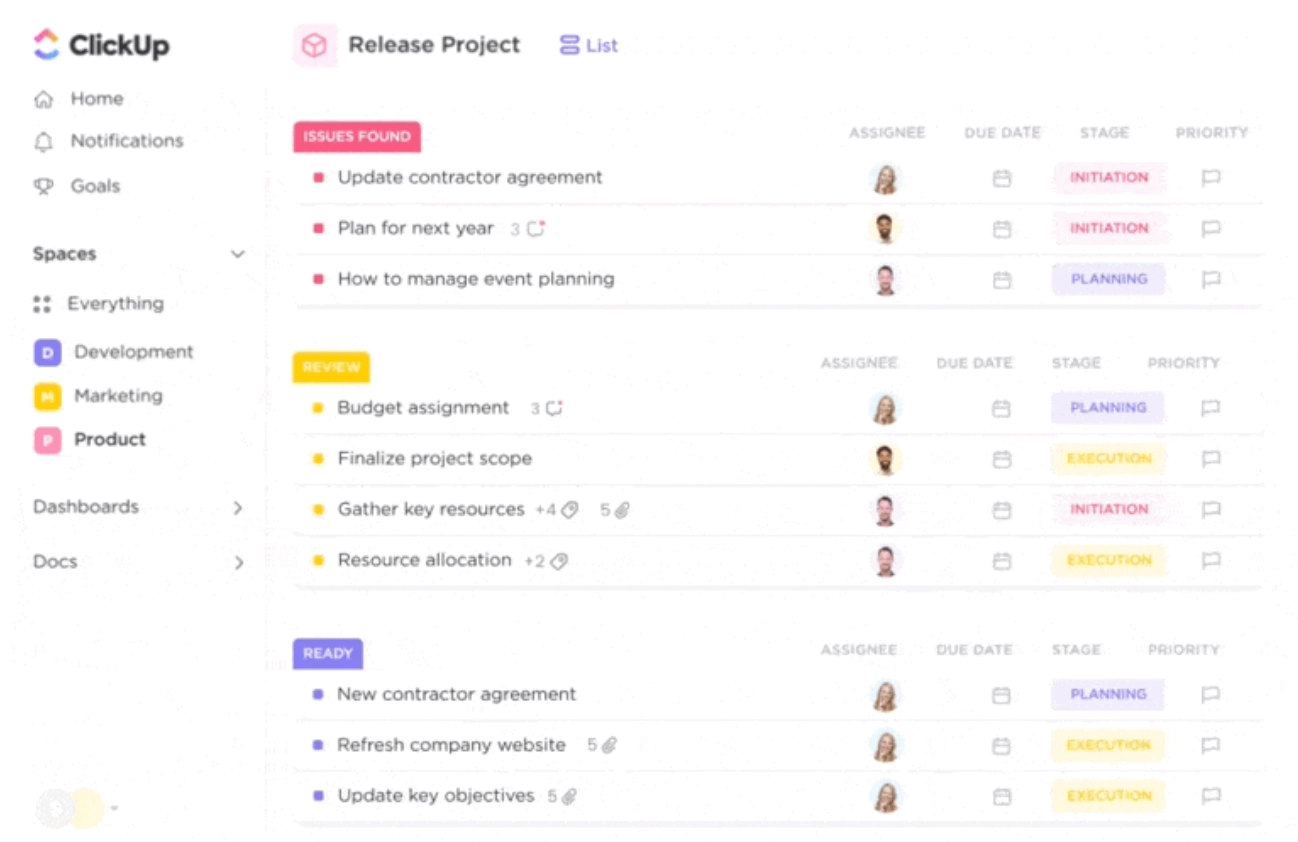
ClickUp can do almost anything, which means nothing is easy by default. Recreating the framework means hundreds of choices across views, custom fields, statuses, and automations. Then someone has to maintain all of it. Separating daily operations from strategic work is its own project, and it assumes you already understand the methodology deeply.
Self-implementers often burn weeks designing the perfect workspace, then find it too heavy for a live meeting. Vision documents fragment across tasks and docs, and strict time-boxing feels clunky in an async-first tool.
Where it falls short
- High configuration tax, with real framework-drift risk as the build ages.
- No native holistic vision view without heavy customization.
- Awkward meeting flow. Timing and issue-solving feel bolted on inside a task-first tool.
Verdict: powerful, but it pulls energy away from the discipline you are trying to build.
4. AsanaWebsite
The simplified task manager
Best for: basic task tracking. Weak for the structured relationships the framework needs.
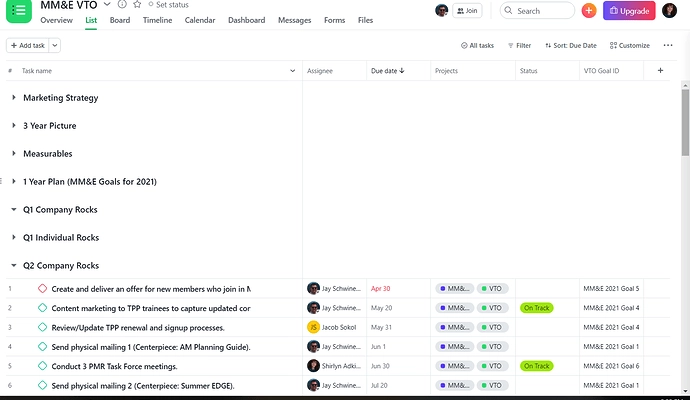
Asana is easy to adopt, which is exactly why the framework's complexity suffers inside it. Quarterly priorities become oversized tasks lost among daily to-dos, and the strategic layer blurs into noise.
The issue-solving portion of the weekly meeting is painful: prioritizing, assigning owners, and creating follow-ups means constant view switching. Scorecards and accountability charts lack the structured data Asana would need to support them natively.
Where it falls short
- Great for tasks, weak for priorities and scorecards.
- Manual, momentum-killing issue workflow.
- Needs spreadsheets to fill the gaps, which recreates the Franken-OS you were trying to escape.
Verdict: too simple to hold the rigor the framework asks for.
5. Ninety.ioWebsite
The dedicated veteran
Best for: teams that want a purpose-built tool and can tolerate an older interface.
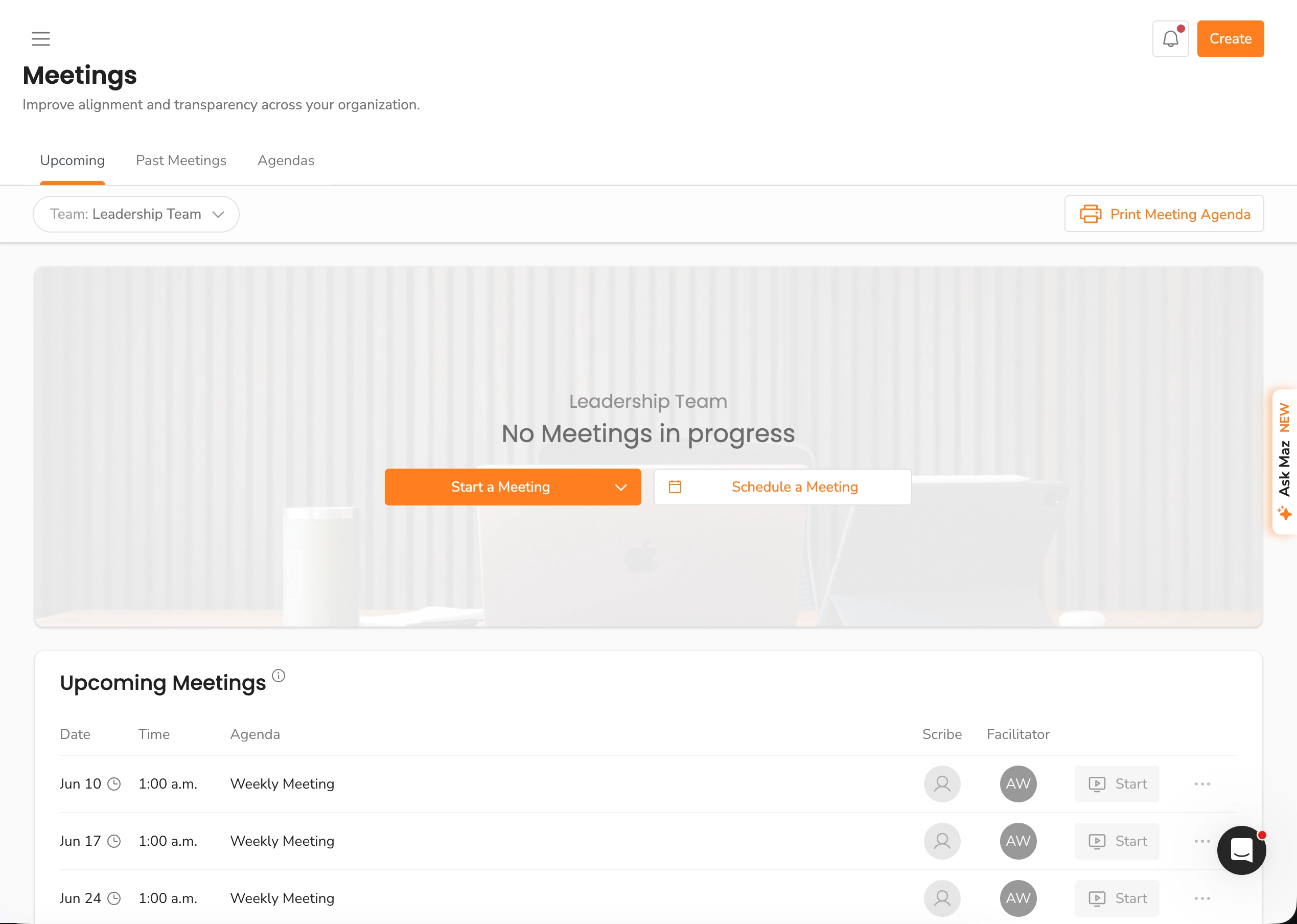
Ninety was one of the first credible attempts to digitize the framework, and it is an officially licensed platform. It ships with vision, scorecard, and meeting tooling already structured to the methodology. For a self-implementer, it is far better than spreadsheets or a generic project tool.
The tradeoffs are age and cost. The interface can feel dated and rigid, and because it is priced per seat, a full company rollout gets expensive quickly.
Where it falls short
- Dated, sometimes rigid interface that newer teams feel immediately.
- Per-seat pricing that climbs with every hire and can outpace the value for a full rollout.
- Thin automation. Limited ability to pull numbers in from your own systems.
Verdict: framework-faithful and reliable, but less polished and more expensive than its age suggests.
6. Bloom GrowthWebsite
The dense incumbent
Best for: teams willing to climb a learning curve in exchange for hands-on support.
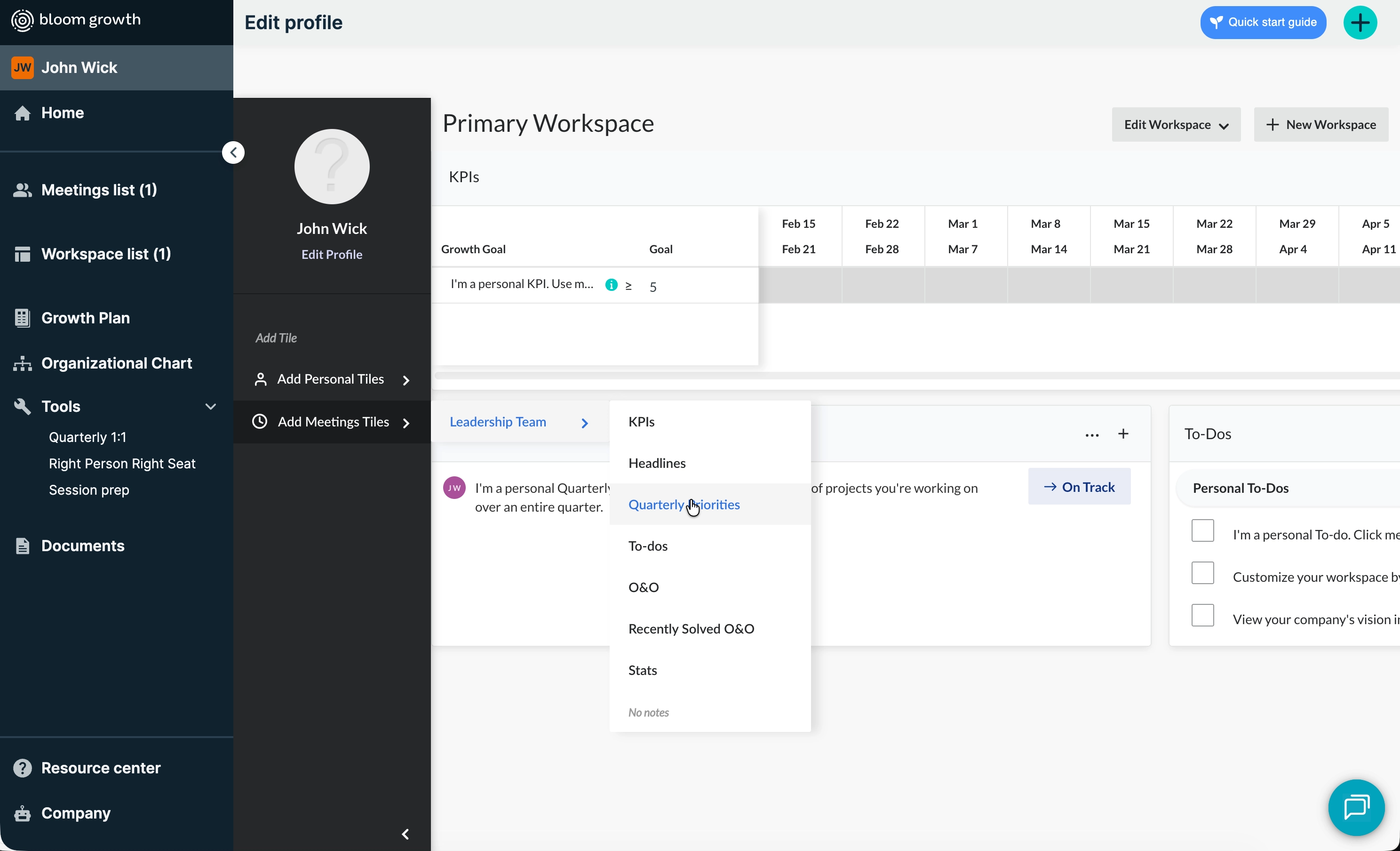
Bloom Growth started as Traction Tools and is feature-rich and dedicated to the methodology, with a genuinely strong human support layer. The catch for self-implementers is density. The interface can overwhelm a team that is still learning the framework, and the entry price, often on an annual contract, deters smaller teams chasing self-implementation savings.
Where it falls short
- Steep learning curve layered on top of learning the methodology itself.
- Heavy entry price and annual commitment for small teams.
- Dated feel in places, despite ongoing interface updates.
Verdict: capable and well-supported, but dense for a lean DIY rollout.
7. SpreadsheetsWebsite
The mirage
Best for: not much beyond the first thirty minutes of experimentation.
Spreadsheets feel free and familiar, and they quietly destroy momentum. There is no ownership, no history, and no automation. Version control turns your strategic documents into a graveyard of files named "VTO_Final_V4."
Running a weekly meeting from a sheet is painful. No timer, no smooth issue-solving, no link from a missed number to the issue it should create. Data silos force manual copy-paste and guarantee drift.
Where it falls short
- Zero accountability or reminders. Ownership is invisible.
- No real meeting support. Scorecards and issues stay disconnected.
- Someone has to maintain it, forever, by hand.
Verdict: penny-wise, traction-foolish.
The biggest self-implementation mistakes
The tool matters, but most failed rollouts share the same human mistakes. Avoid these and your odds jump no matter what you pick.
Over-engineering the software. Spending three weeks building the perfect workspace is procrastination dressed up as progress. Start simple and let the structure earn complexity.
Rolling out to leadership only. When only the leadership team is in the system, everyone else stays a data-entry point and adoption stalls. Get the whole company in early.
Re-keying scorecards by hand. Manual data entry is the number one reason teams quit by quarter two. Automate the numbers or expect the habit to die.
Treating the vision document as static. If it lives in a PDF you open once a year, it is decoration. It should connect to your quarterly priorities.
Skipping the cadence. The framework is a rhythm, not a one-time setup. Miss the weekly meeting for a month and the whole thing decays.
How to sequence your rollout
A clean order of operations beats a perfect plan. Here is a sequence that works for most self-implementers.
Week 1: leadership team only. Set up your scorecard, quarterly priorities, and a weekly meeting agenda. Keep it minimal.
Weeks 2 to 4: run the meeting. Hold the weekly leadership meeting on time, every week. Resist the urge to add features. Build the habit first.
Month 2: automate the numbers. Connect your scorecard to real data sources so nobody re-keys metrics. This is where a tool with an open API earns its keep.
Month 2 to 3: cascade down. Roll the system out to departments. Give every priority and issue a single owner. This is where flat pricing matters, because per-seat costs make whole-company rollout a budget conversation instead of a default.
Quarter 2 onward: adapt. Now that the rhythm holds, adjust the framework to your company. Keep what works, drop what does not.
FAQ
Do I need dedicated software to self-implement?
No, but it dramatically lowers the failure rate. A purpose-built or framework-friendly tool removes the setup and maintenance tax that sinks most DIY rollouts.
Can I just use spreadsheets?
For a few weeks, sure. Past that, the lack of ownership, history, and automation guarantees drift. Smart teams that start in spreadsheets migrate within a quarter.
When should I drop my generic project tool?
The moment you find yourself maintaining the tool more than running the business inside it. If your weekly meeting requires five tabs and a copy-paste ritual, the tool is costing you more than it saves.
Conclusion
Self-implementing is rewarding, but it is hard to put in place and easy to lose the framework's full benefits. Generic project tools add a configuration tax and quietly drag your integrator into daily operations instead of leadership. Incumbent tools hold the framework well but you will feel their age and their price.
MonsterOps sits at the top because it's a good mix between generic and do it yourself. It carries the structure for you, stays future-proof by working with any framework, and costs a flat fee no matter how many people you add. If you are going to self-implement, choose the platform that lets you focus on the change your company is going through, not on building the system that supports it.
Try MonsterOps for a Quarter
Plug your metrics, rocks, and meetings into one simple tool that won't require your team to take additional training.
Start free